View all Saved Retrieval Queries
As a consumer of data assets, you have the ability to review all retrieval queries saved within the SYNERGIES Platform by members of your organization. This can be done by accessing the Retrieval menu. The list of retrieval queries that appears includes the following information per retrieval query: (a) Name, (b) Created on, (c) Updated on, (d) Description, (e) Related asset, (f) Retrieval Query Type (API/File), (g) Status. You can search (exact/partial match) for a specific retrieval query based on its title/description, can filter queries based on asset name (dropdown list), type (API-based, File-based) and Status, as well as sort the retrieval queries based on: (a) Title Descending, (b) Title Ascending, (c) Date Created (newest first), (d) Date Created (oldest first), (e) Date Updated (newest first), (f) Date Updated (oldest first), (g) Status, (h) Relevance
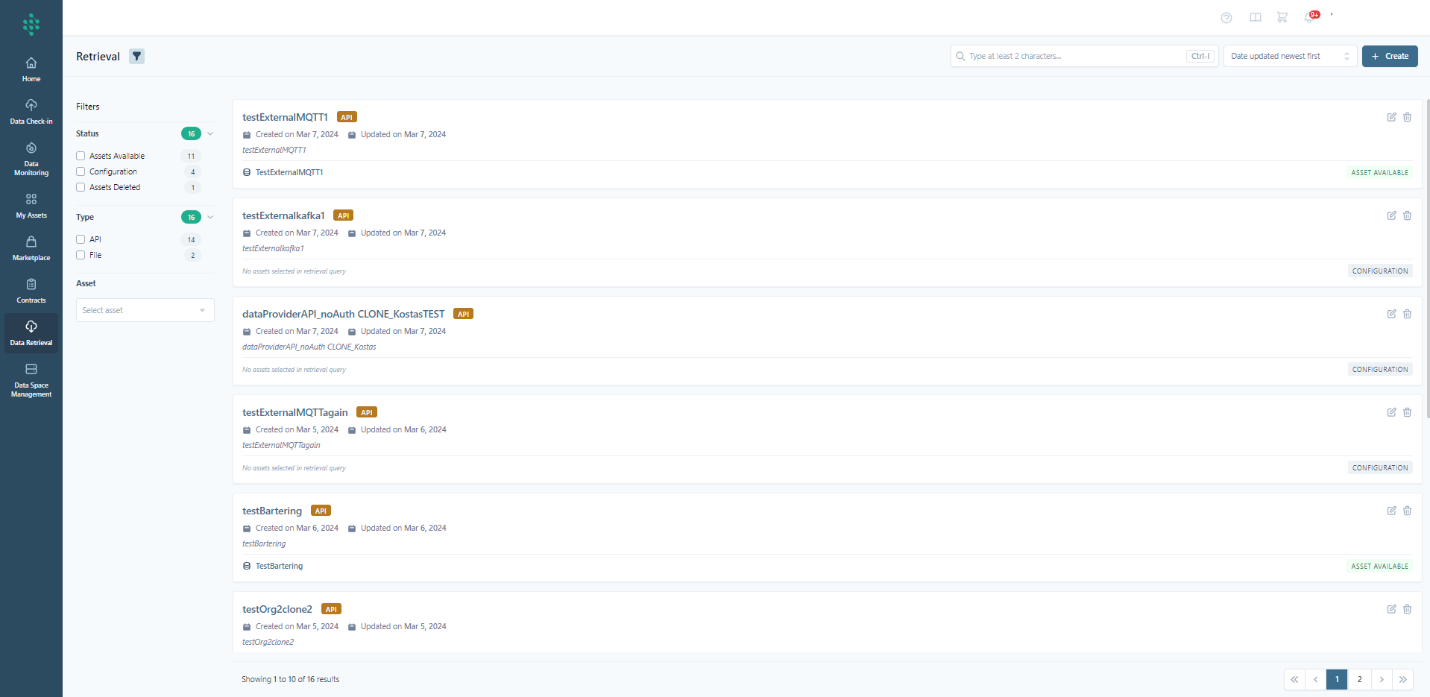
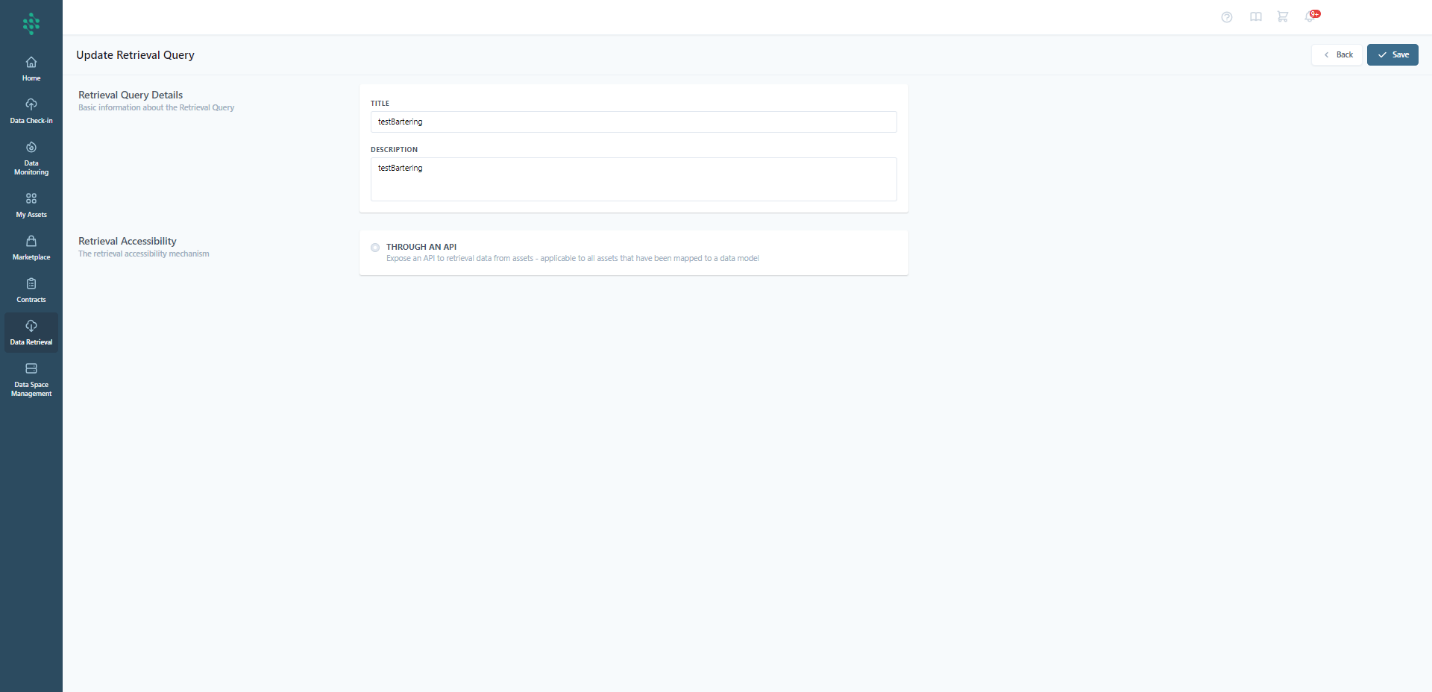
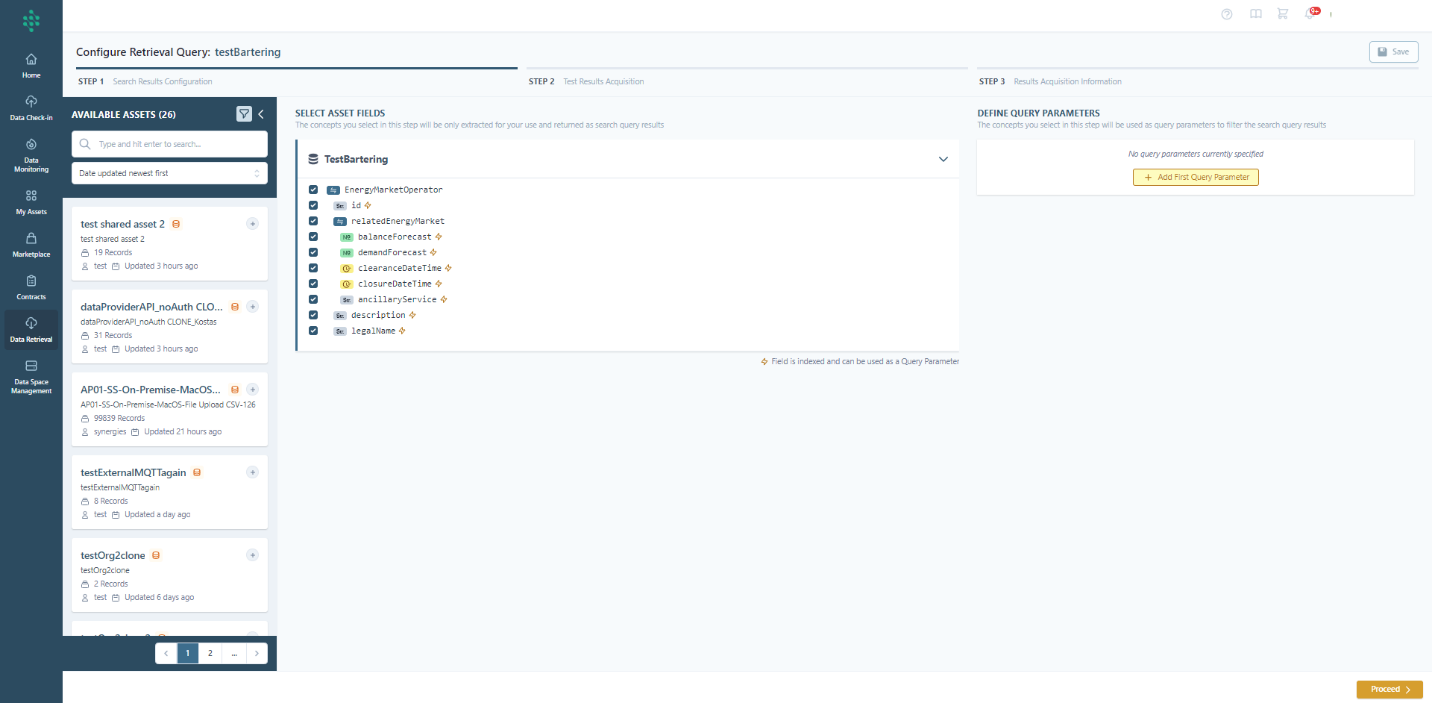
You have the option to rename or delete a saved query, and you can also access the configuration of the saved query and the data assets it encompasses. In the latter scenario, you can either review the current configuration or proceed with updating it.
Hint
The potential status of each data retrieval query:
- Configuration: The creation of the retrieval query is in progress and not finalized
- Available: The creation of the retrieval query has successfully completed and it is ready to be used
- Deprecated: The retrieval query has been deleted
- Unavailable: The retrieval query is not available