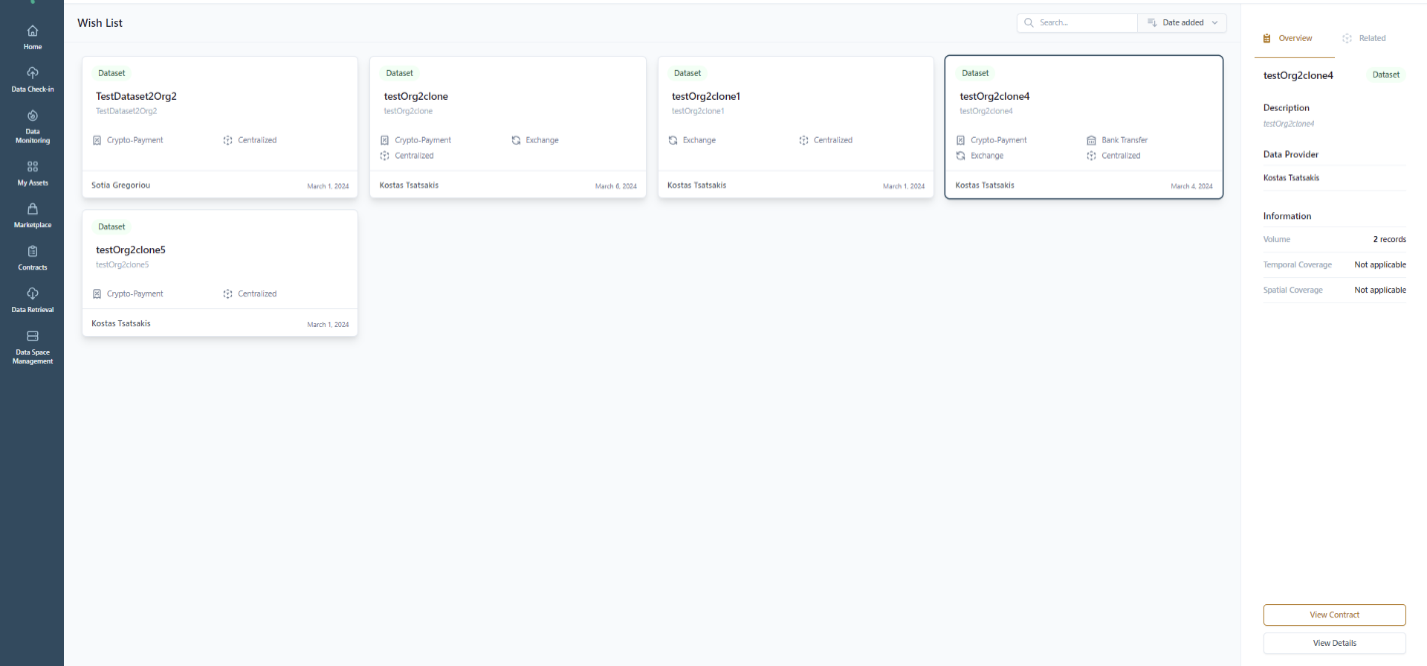
Manage the Data Assets in your Wish List
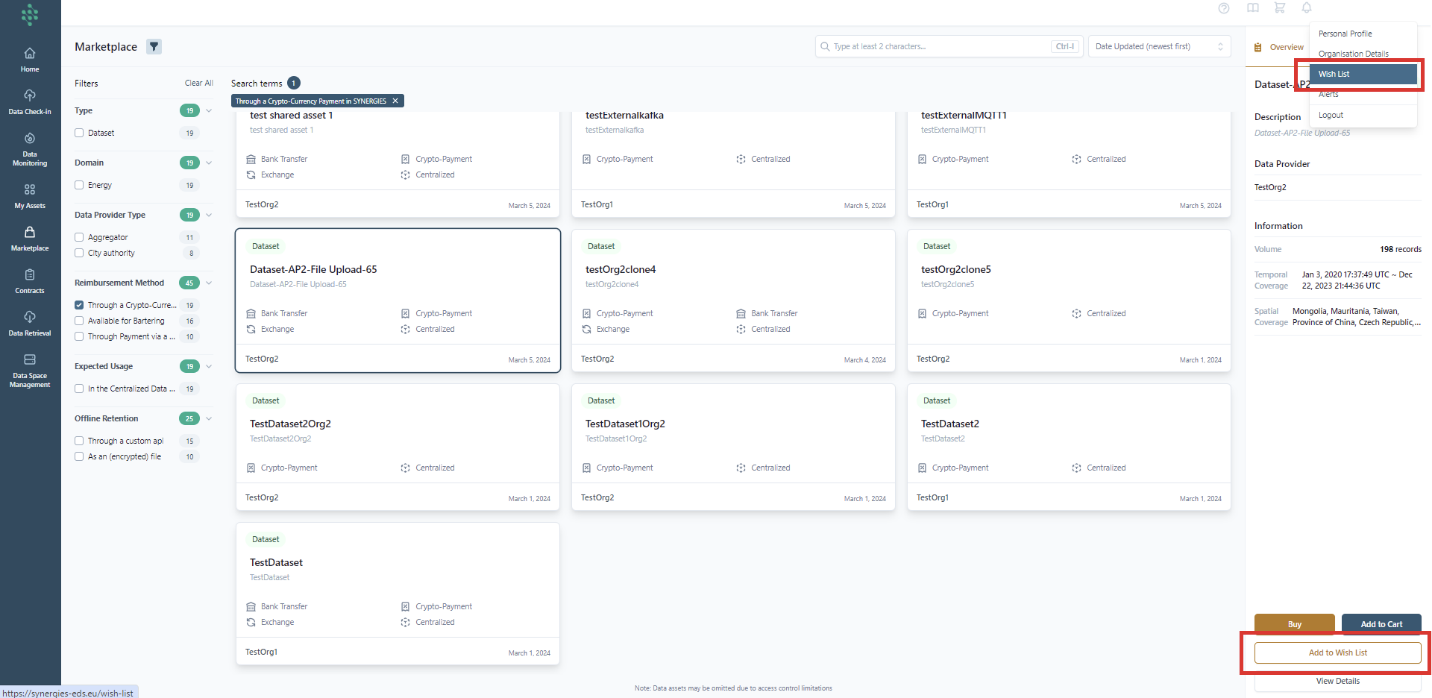
By selecting a data asset in the Marketplace, you may select the “Add to the Wish” quick action. Then, the asset is added in the Wish list with the relevant information to be available at the top right side of the SYNERGIES Platform and the user menu as shown in the following figure. At any moment, you may remove the data asset from the Wish list by selecting the Remove option.
An overview of the assets in the wish list is available on the dedicated page.