View Contracts
Within SYNERGIES, organizations may assume roles as both data asset providers and consumers. Members can access contracts related to the data assets they are involved with (either as providers or consumers) through the Contracts View, illustrated in the following figure.
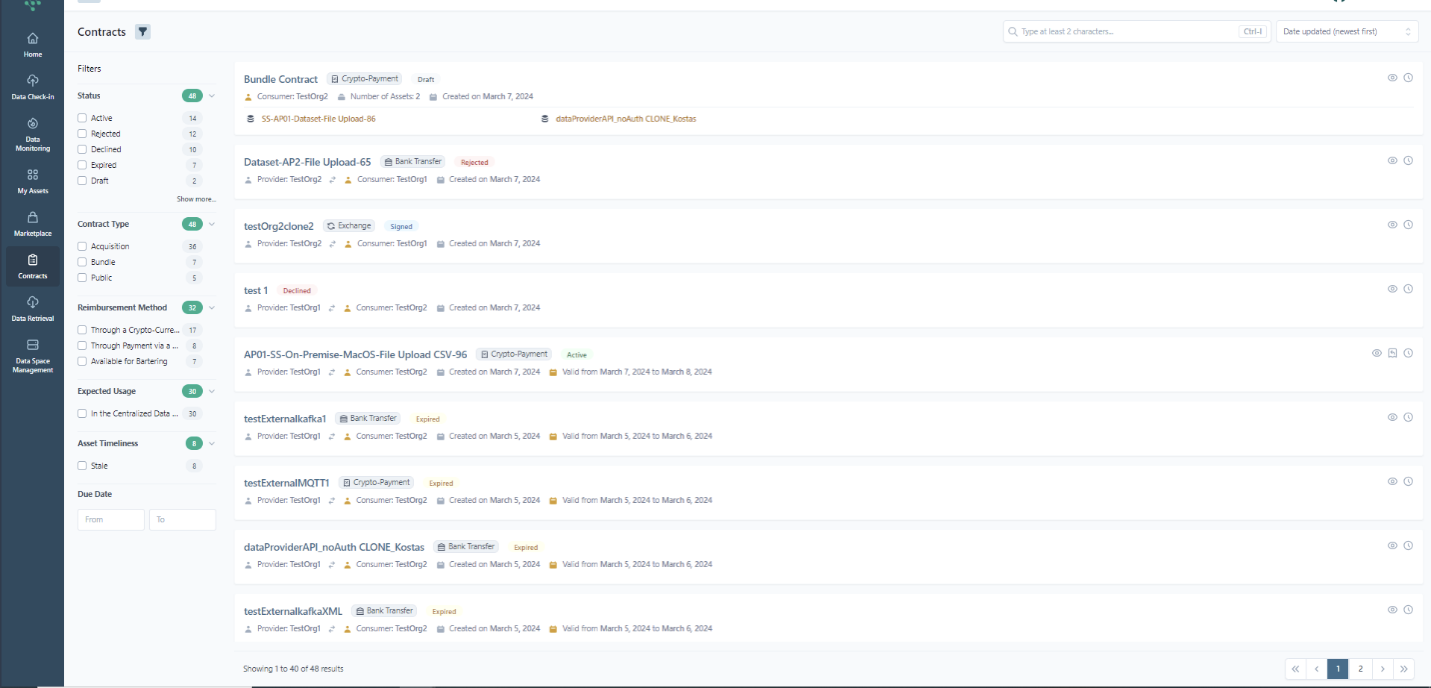
These contracts are categorized as follows: (a) All, containing all contracts in which the specific organization is involved (b) As Data Provider, filtering all contracts in which the specific organization is involved as data provider offering an asset (c) As Data Consumer, filtering all contracts in which the specific organization is involved as data consumer acquiring an asset.
For each contract, the following information is included in the list view: (a) Asset(s) name/title, (b) Data provider name, (c) Data consumer name, (d) Status, (e) Date Created, (f) Start and End Date, (g) Reimbursement Method (bank transfer, crypto payment, exchange/bartering with own asset).
Hint
- Bundle contracts are listed with the name of “Bundle Contract”
- In case of contracts that last forever or a bundle contract, only the Start Date is available
- In case of a bundle contract, the information about the number of assets is visible while the Data provider name is not available
- In order to create a bundle contract, the cryptocurrency method must be enabled as payment method.
- In case of Bartering/Exchange contract, the bartering asset’s name is not displayed in the contract card.
- In case of Bartering/Exchange contract, searching in the asset’s title also search in bartering asset’s title while filtering apply to the original asset only.
Organization members can search for specific contracts and filter contracts based on their (a) Status, (b) Type, (c) Reimbursement Method, (d) Expected Usage, (e) Asset Timeliness, (f) Due Date.
Hint
- An indication about the number of contracts per category in the filtering section is provided
- Filters about Expected Usage and Asset Timeliness do not apply for bundle contracts. In addition, due date filter applies for the most recent date of any offer that is part of the bundle contract.
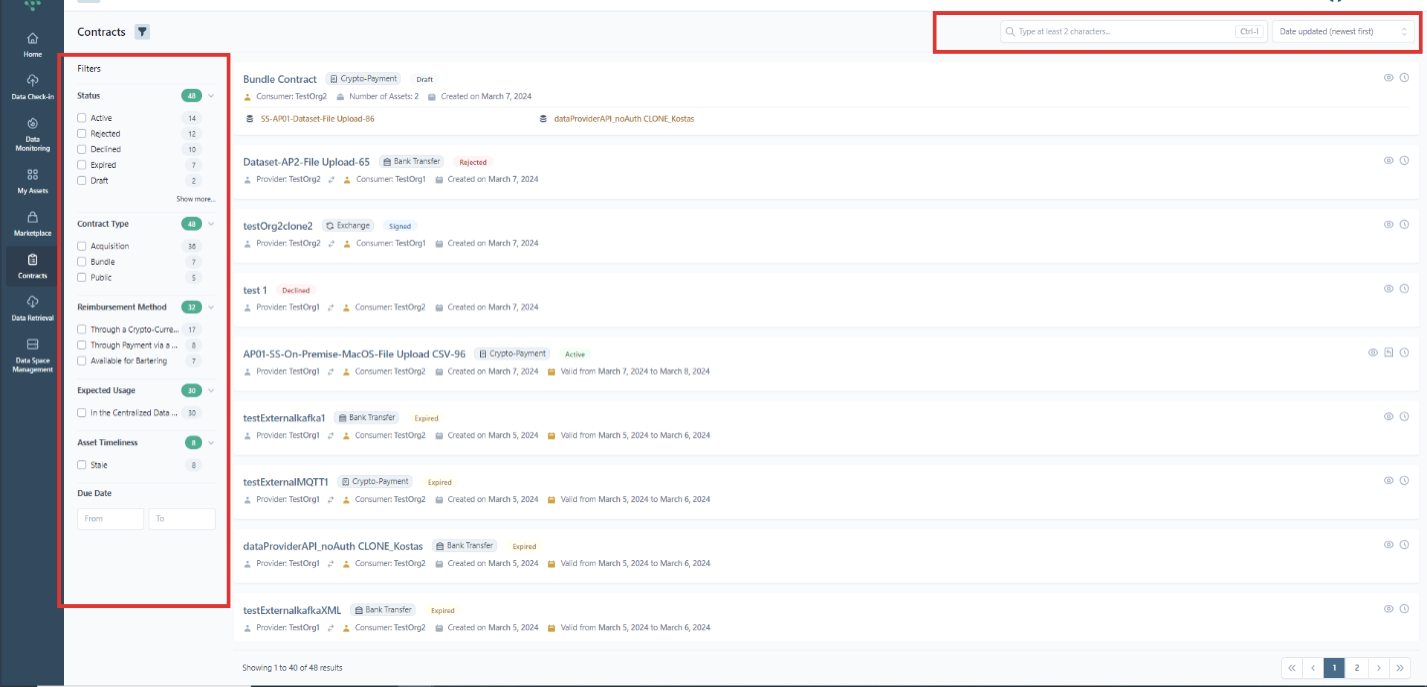
In addition, sorting the displayed contracts is possible by contract name, Due date, or date last modified.
Hint
The possible statuses of a contract include:
- Active: The contract has been accepted by the involved parties and the reimbursement terms have been fulfilled so it is currently active.
- Draft: A contract request has been initiated by a data asset consumer.
- Under Negotiation: The contract is currently under negotiation.
- Declined: A contract request has been declined by the data asset provider.
- Signed: An agreed version of the contract has been signed by the involved parties, yet the reimbursement terms (e.g. payment) are still pending.
- Rejected: The contract terms have been rejected by the data asset consumer/provider.
- Expired: The contract has expired.
- Withdrawn: The contract has been withdrawn.
If the organization lacks a linked wallet to initiate the contractual process, the legal representative can import an existing wallet or create a new one, as described in the section "Manage the Organization's Wallet."