Create a new Analytics Pipeline
When opting to create a new data analytics pipeline, you need to provide essential details such as a title and a brief description, providing an overview of the data analytics pipeline job. Subsequently, you need to designate the execution framework for your analytics pipeline, choosing between options like the Apache Spark engine or the Python environment for the data processing tasks within the pipeline. Furthermore, you will specify the location where the analytics pipeline job will run, opting for either Centralised Data Space Execution or Federated Data Space Execution (where you are prompted to provide the selected Private Server/Edge Environment of your organization of your choice).
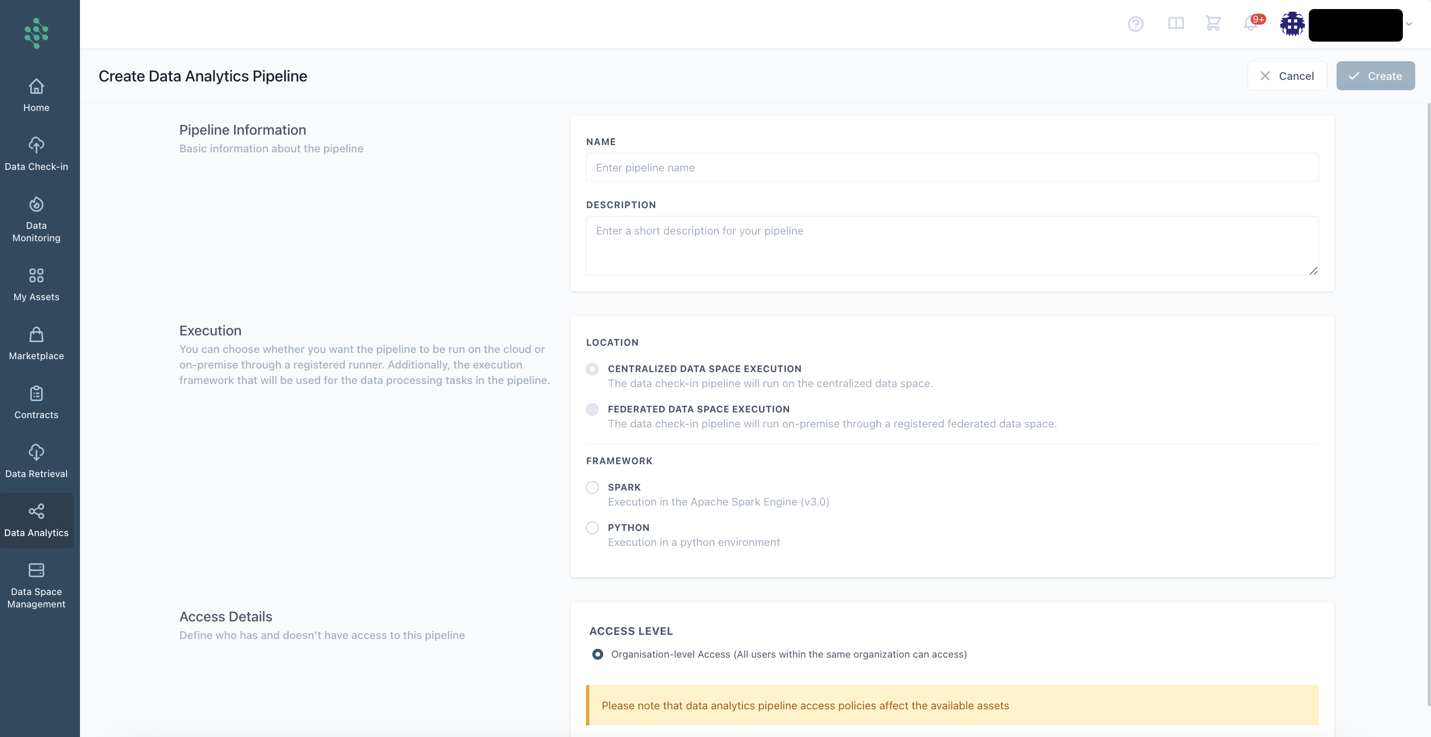
Upon clicking the Create button, the Analytics Workbench page loads, facilitating further configuration of the analytics pipeline as outlined in the Configure an Analytics Pipeline section.
Hints
- Running the analytics pipeline on the Cloud Execution is the only available option if you select the Apache Spark framework for running the analytics pipeline. In contrast, you are able to run the analytics pipeline on all the available execution locations (i.e., Cloud Execution, Server/Edge On-Premise Execution) using a Python environment.
- it is not possible to change the execution framework or the location where the analytics pipeline will run upon the pipeline creation.
- The federated execution can run analytics only over data that are stored locally at the moment (since no transfer of data from the centralized data space to a federated data space is allowed at the moment).