Execute a Data Check-in Pipeline
The setup for pre-processing steps (at design time) is distinctly separated from the actual execution of each step. Below is a brief overview of the execution process for each pre-processing step on the SYNERGIES Platform. Note that execution of steps like Mapping, Cleaning and Encryption is contingent upon the completion of their respective configurations.
Successfully executing the Mapping step allows you to see the transformations applied to each field in the source data, as indicated in the next figure.
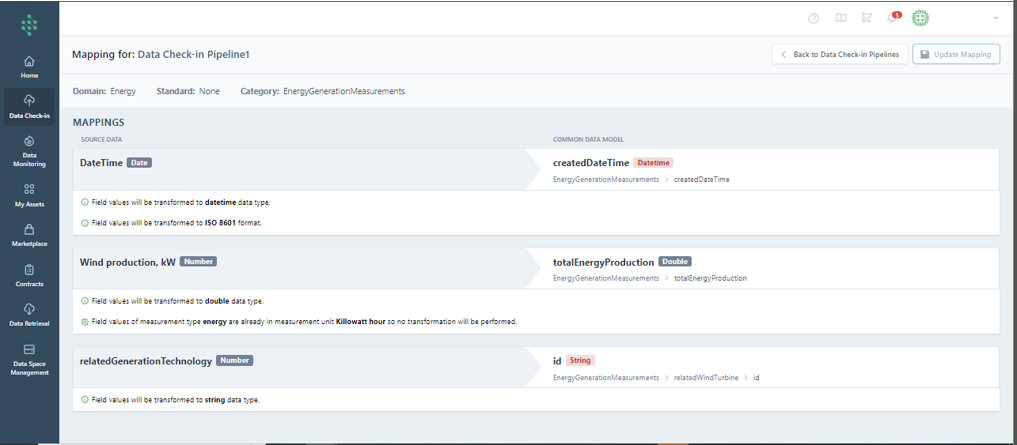
Conversely, a failed Mapping step, due to incorrect transformation rule definitions, will enable you to view and correct the failed transformations before retrying the step.
Hint
Updates on mapping execution are available only if the mapping process has not previously succeeded.
Hint
For recurring jobs, Mapping may succeed several times before failing, thus detailed (successful/failed) execution records are provided.
Cleaning Execution
Completing the Cleaning configuration triggers a notification that the Cleaning step has been executed. This step allows you to review which cleaning rules were met and the resulting transformations.
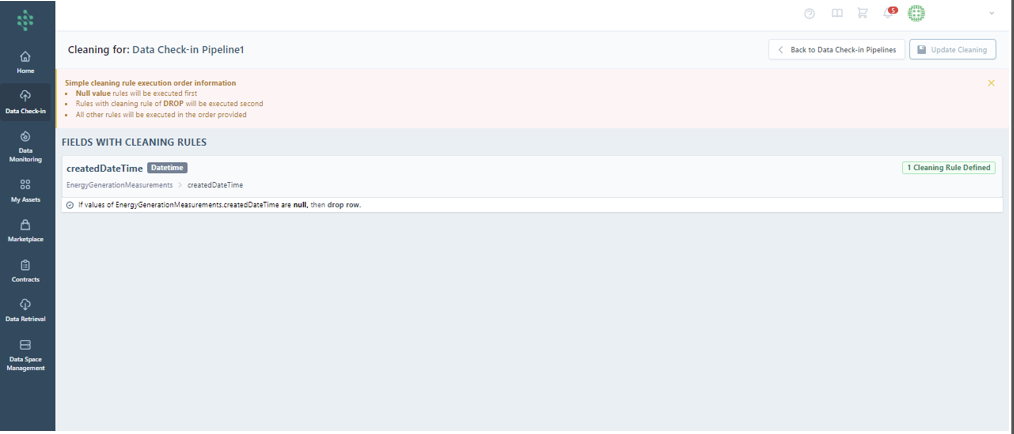
Should the data not meet the defined Cleaning rules, a report page detailing the failed execution will prompt corrections.
Anonymisation Execution
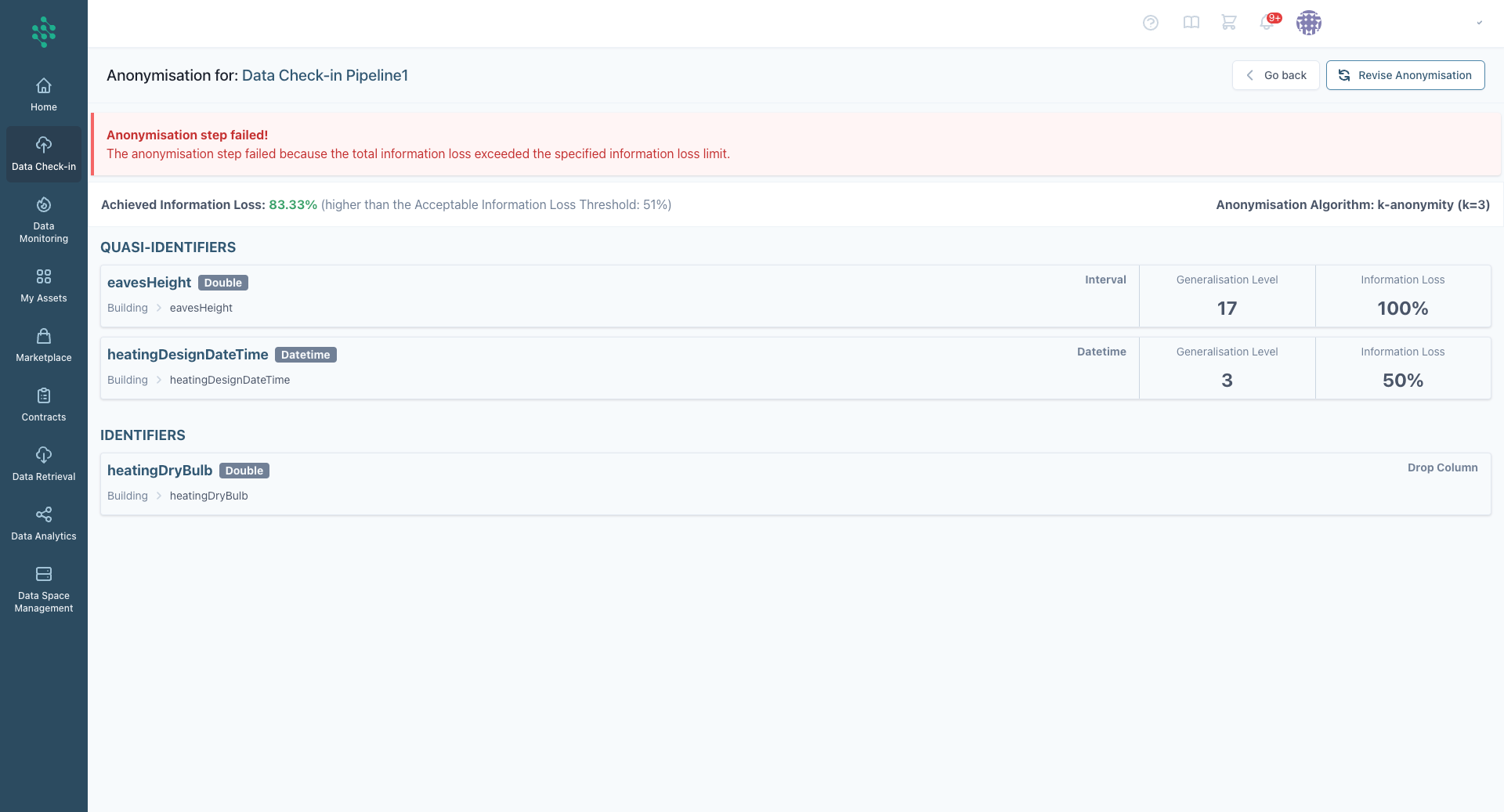
Once the rules are finalized, the system will execute the anonymisation process. If the anonymisation fails to meet the acceptable information loss threshold or desired protection levels, the SYNERGIES platform will purposefully halt the process to ensure compliance. By following these steps, you ensure robust data anonymisation, safeguarding sensitive information while maintaining dataset utility.
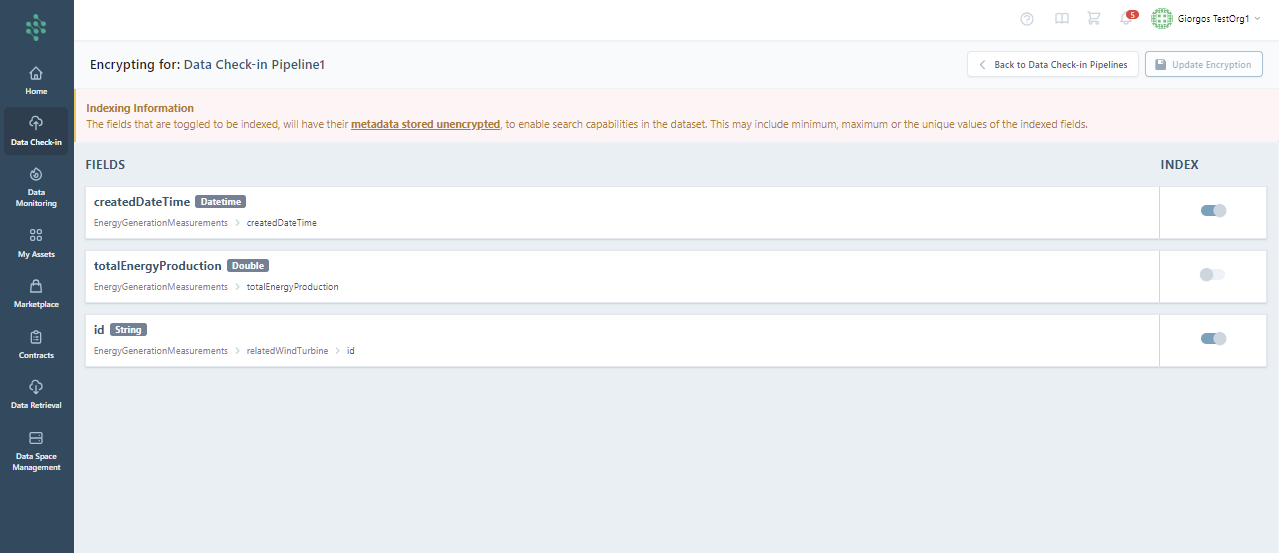
Encryption Execution
When the encryption execution concludes successfully, the indexed fields of the data are securely encrypted, ensuring its protection while maintaining accessibility for authorized users through correctly implemented decryption keys.